Document management solutions for small business help growing teams organize files, control access, reduce manual work, and retrieve information without searching through disconnected folders or email threads.
Basic cloud storage may be enough when a company handles only a small number of files. However, as employees, customers, and documents increase, shared folders can become difficult to manage. Duplicate files appear, approvals remain buried in email, and sensitive records may be accessible to the wrong people.
Docupile brings document organization, AI-assisted filing, search, permissions, version control, and workflow automation into one system. The goal is not simply to store files online. It is to create a controlled process for managing business documents.
In simple terms: A document management solution helps a small business capture, organize, find, share, and track documents from one centralized system.
Want to Learn More?
Check Out: How Electronic DMS for Accounting Firms Helps Accounting Team
Ebook: THE SMALL BUSINESS DMS DECISION GUIDE
Related Articles:
What Is a Document Management Solution for Small Business?
A document management solution for small business is software that controls how documents are captured, named, stored, searched, accessed, reviewed, and retained.
A typical document journey follows this process:
Capture → Name → Organize → Search → Share → Track
For example, an invoice can enter the system, receive a consistent name, be categorized by vendor and date, move through approval, and remain searchable when it is required later.
Docupile supports this process through:
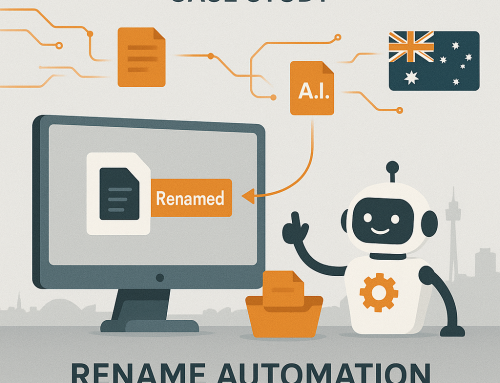
- AI Auto File Naming
- Automated Folder Creation
- Metadata Extraction
- OCR and Full-Text Search
- Role-Based Access Control
- Document Workflow Automation
These capabilities help reduce repetitive naming, filing, and searching while creating a more consistent small business document management process.
When Shared Folders Start Creating More Work
Shared folders are easy to set up, which is why many small businesses begin with them. Problems usually appear when each employee follows a different method for naming, organizing, and sharing files.
A contract may be stored in a cloud folder while its revised version remains attached to an email. One employee may save an invoice under the vendor name, while another uses the invoice number. Sensitive HR records may also be visible to employees who do not require access.
Common warning signs include:
Content Text – Related Keyword
Microsoft has reported that 57% of US office workers consider quickly finding files and documents one of their top three workplace problems.
Docupile helps centralize business documents while adding metadata search, document-content search, access permissions, and activity history. Employees gain a more reliable way to locate files without depending entirely on folder knowledge or memory.

What Should a Small Business Look for in a Document Management Solution?
The right document management software for small business should solve everyday document problems rather than simply offer a long list of features.
1. Consistent Document Organization
2. Search Beyond the File Name
3. Role-Based Access Control
4. Version Control and Audit History
5. Workflow and Approval Automation
See How Organized Document Management Could Work for Your Team
When scattered files, manual filing, and slow retrieval affect everyday work, explore how Docupile can bring documents and related processes into one controlled system.
A Realistic Small-Business Document Journey
Consider a small service company that receives vendor invoices through email.
Before Using a Document Management Solution
An employee downloads an invoice, renames it, and saves it in a shared folder. A separate email is sent to a manager for approval. Once approved, another copy is saved with “approved” added to the file name.
When the invoice is needed later, an employee searches through folders and email attachments to identify the correct version.
With Docupile
The invoice enters the system, and relevant information can be extracted. It receives a consistent file name and searchable metadata, such as vendor, date, and invoice number.
The document moves through an approval workflow, while access and activity remain visible. Later, it can be found through metadata or text contained inside the document.
Docupile does not replace the business decision. It reduces the repetitive document handling surrounding that decision.
Where Can Small Businesses Use Document Management Solutions?

Cloud Storage or a Document Management Solution?
Cloud storage gives a business a place to save and share files. A document management solution adds structure and control to how those files are organized, searched, reviewed, and tracked.
| Requirement |
Cloud storage |
Document management solution |
|---|---|---|
| Store and share files | Yes | Yes |
| Metadata organization | Limited | Yes |
| Document-content search | Limited | Yes |
| Approval workflows | Usually Limited | Yes |
| Detailed permissions | Basic | More Structured |
| Audit history | Limited | Detailed |
| Automated filing | Usually unavailable | Available |
Docupile combines cloud accessibility with OCR search, metadata, permissions, workflow automation, audit trails, and AI-assisted document organization.
How to Evaluate the Right Solution?
Before selecting document management software for small business, ask:
A demonstration should focus on your actual workflows. Testing the system with an invoice, employee file, contract, or customer record is more useful than reviewing a generic feature presentation.
Is Your Business Ready for a DMS?
Your business may need a document management system when:
- employees frequently struggle to find files,
- duplicate versions are common,
- approvals depend on email reminders,
- sensitive records have broad access,
- manual filing consumes regular staff time,
- or audit requests take too long.
When three or more of these issues are present, basic storage may no longer provide enough organization, access control, and workflow visibility.
Bring Your Business Documents Under Better Control
The right document management solution for small business should make files easier to organize, retrieve, protect, review, and track.
Docupile combines centralized document management, AI-assisted organization, content search, role-based access, version control, audit trails, and workflow automation. These capabilities help small businesses replace scattered file handling with a clearer and more controlled document process.
Learn More – A Tool to Help Revolutionize Document Management for Accounting Firms