The Challenge
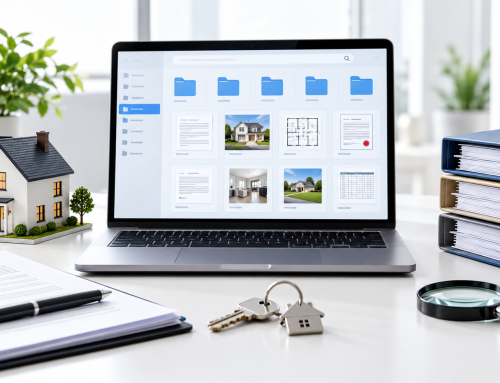
BlueMary Property Services managed a large volume of records across its property portfolio.
Lease agreements, inspection reports, vendor contracts, insurance certificates, maintenance records, tenant files, invoices, and compliance documents were part of everyday operations.
The problem was not that the documents did not exist.
The problem was that they existed in too many places.
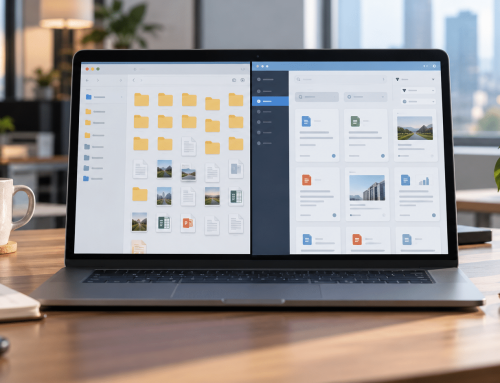
Some were stored in shared folders. Others lived in email threads, property-specific folders, or employee computers.
Over time, employees learned where things were kept.
That worked during normal operations.
But it also meant the process depended heavily on individual knowledge.
That was BlueMary’s document disaster readiness gap.
The Moment That Exposed the Risk
The issue became clear during an urgent property matter.
The operations team needed the latest inspection documentation and a current vendor agreement for one of BlueMary’s managed properties.
The employee who normally handled those records was unavailable.
The team found one copy in a shared folder, another in an email thread, and an older version in a property folder.
The documents were there.
But the team could not immediately confirm:
- which version was current
- which copy had been approved
- whether an update had been made
- who had last worked on the document
Nothing had been deleted.
There had been no major cyberattack.
But the situation exposed an important weakness:
BlueMary could store documents, but it could not always guarantee that the right record could be found and trusted quickly when the normal process was interrupted.
That changed the conversation from document storage to document disaster readiness.
What BlueMary Needed?
BlueMary was not looking for another place to save files.
It needed a document environment that could continue to work even when the usual employee, folder, or routine was unavailable.
The priorities were clear:
Centralized records
Critical property documents needed a consistent home instead of being scattered across multiple locations.
Faster retrieval
Employees needed to find records without depending on someone remembering an exact filename or folder path.
Version confidence
When multiple copies existed, the team needed better visibility into the history of the document.
Controlled access
Tenant, financial, contractual, and operational records needed to be available to the right people without giving unnecessary access to everyone.
Traceability
When questions arose later, BlueMary wanted a clearer record of document activity.
How Docupile Helped BlueMary Address the Gaps?
Making Property Records Easier to Find
Previously, employees often searched several folders or old email threads before locating a lease, inspection report, or vendor document.
By organizing critical property records in Docupile and using OCR and metadata indexing, BlueMary gave employees another way to find information without relying entirely on filenames or employee memory.
The value was not simply “better search.”
It reduced the dependence on knowing where someone else had saved the file.
Bringing More Control to Sensitive Records
Different teams at BlueMary worked with different information.
A finance employee did not necessarily need the same documents as someone in leasing or property operations.
Role-based access helped BlueMary structure document visibility around responsibilities.
Instead of relying mainly on broadly shared folders, the company could place more control around who should have access to sensitive property, tenant, financial, and contractual records.
Reducing Version Uncertainty
The urgent property request had exposed one of BlueMary’s biggest problems: several copies of the same document could exist without the team immediately knowing which one should be used.
Version history gave employees more context when a lease, vendor agreement, or other record had been updated.
Rather than treating each copy as an unrelated file, the team could better understand how the document had changed over time.
Making Document Activity Easier to Review
When BlueMary previously needed to understand what had happened to a record, employees sometimes had to reconstruct the story through emails, folders, or conversations.
Audit trails provided a clearer record of document activity.
That gave the team better visibility when questions arose about access or changes to an important file.
Reducing Dependence on Individual Employees
This became one of the most important changes.
Before, employees often asked:
“Who normally handles this property?”
After centralizing records, they could focus instead on:
“Which property record do we need?”
The document process became less dependent on one person’s inbox, desktop, or memory.
What Changed?
BlueMary did not simply reorganize its files.
- It changed how dependable those files were during disruption.
- Employees had a clearer route to important records.
- Multiple document versions were easier to understand.
- Sensitive information could be controlled more deliberately.
- Document activity became easier to review.
And when the employee who normally managed a record was unavailable, the company was less dependent on that person to locate it.
That is where document management began to support broader business readiness.
Before and After
| Before | After |
|---|---|
| Critical records spread across folders, email, and local storage | Important property records managed within a more consistent structure |
| Multiple copies created uncertainty about which document to use | Version history provided clearer context around document changes |
| Retrieval often depended on knowing the right employee | Records became less dependent on individual employee knowledge |
“What Changed
Before: Renewal awareness depended heavily on manual tracking.
After: Vendor renewal dates became part of a repeatable Docupile workflow with advance reminders and dashboard visibility.
Result: The team no longer needs to manually reopen every contract to look for upcoming renewal dates.
The Outcome
For BlueMary, the most important outcome was greater confidence in how critical property records were managed.
The company had:
- a more consistent place for important property documents
- a clearer way to locate records
- better visibility into document versions
- stronger control over access
- improved visibility into document activity
- less dependence on individual employees to find critical information
The source materials for this case study do not provide verified BlueMary performance figures, so these outcomes are intentionally presented qualitatively rather than with invented percentages or time savings.
The result was a more resilient document process — one designed to keep working when normal routines did not.
From Document Control to Document Disaster Readiness
For BlueMary, document disaster readiness did not mean preparing only for ransomware or a major system failure.
It meant reducing uncertainty whenever normal operations were interrupted.
- Could the team still find the document?
- Could they identify the right version?
- Could the appropriate employee access it?
- Could they understand what had happened to it?
That broader interpretation matches the October campaign, which focuses on access, recoverability, version trust, auditability, and retention rather than treating document management as a substitute for cybersecurity infrastructure.
The underlying research uses the same central question: can a business still find, trust, and recover the right document when something goes wrong?
The Takeaway
A document does not have to disappear completely to become a business problem.
Sometimes the problem begins when nobody can confidently answer:
- Where is the right document?
- Which version should we use?
- Who can access it?
- Can someone else find it if the usual employee is unavailable?
For BlueMary Property Services, moving from document exposure to document readiness meant making critical property records less dependent on individual people and more dependable when the business needed them.
Can Your Business Recover the Right Document When It Matters?
Strong document disaster readiness starts with knowing whether critical records can still be found, verified, controlled, and retrieved when normal processes are interrupted.
Docupile helps businesses centralize documents, manage access, maintain version history, improve auditability, and make important information easier to retrieve.