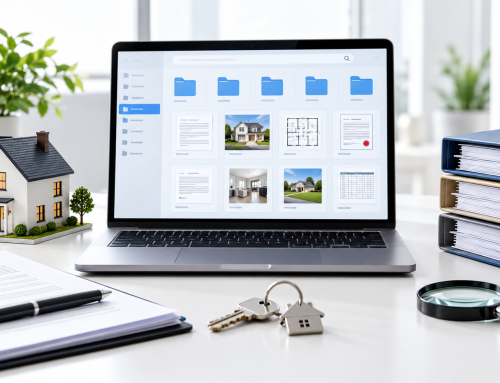
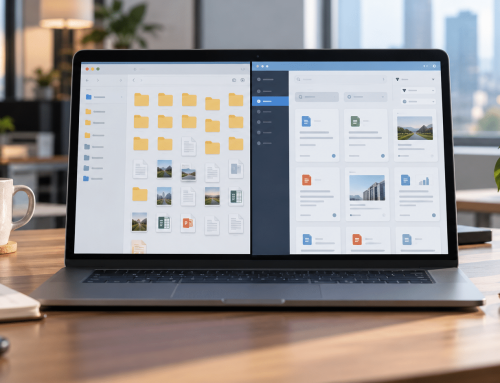
It’s enrollment season. Your registrar has three student transfer requests due by Friday. One consent form is in a filing cabinet, another document is on a shared drive, and the latest version is buried in an email thread.
Meanwhile, parents are waiting, invoices need approval, and your small administrative team has more paperwork than time.
School paperless document management helps solve this problem. It goes beyond scanning to organize records, make them searchable, control access, and track document activity.
Here’s how K–12 school offices can move toward paperless administration without overwhelming their teams.
Why Is School Paperless Document Management Important for K–12 Offices?
Paper-based processes become harder to manage as student records, staff files, and administrative documents accumulate. When information is scattered, everyday requests take longer, sensitive records become difficult to control, and compliance checks require additional preparation.
Time Lost Searching for Records
A registrar searching for a student’s enrollment form might check multiple cabinets, shared folders, and inboxes.
The same problem affects HR staff locating contracts and finance teams matching invoices with purchase orders.
These interruptions delay routine tasks and create unnecessary follow-ups during busy periods.
Risks to Sensitive Student Information
Student records can contain addresses, health information, disciplinary details, and other personal data.
When files are broadly accessible or forwarded through email, schools may struggle to control who receives sensitive information.
Clear permissions and student privacy best practices help reduce unnecessary exposure.
Pressure During Audits and Records Requests
Schools may need to retrieve enrollment records, signed forms, or supporting documentation for authorized requests.
Scattered files and inconsistent naming make this difficult. Without document history, staff may also struggle to identify the current version or review previous activity.
Organized records management for schools helps administrative teams prepare and retrieve documents more consistently.
What Does School Paperless Document Management Really Mean?
Going paperless means establishing a consistent process for receiving, organizing, finding, and protecting records—not simply converting paper into PDFs.
Effective education paperless document management combines searchable documents, defined filing rules, appropriate permissions, and visibility into document activity.
From Scanning to Searchable Records
A typical school paperless workflow follows this process:
Scan or upload → OCR → AI auto-naming → AI auto-folder creation → Record tagging → Search and retrieval
OCR (optical character recognition) recognizes text in scanned documents, making their contents searchable.
AI-assisted naming and folder creation help organize files consistently, while tags and metadata provide additional ways to locate records.
Staff should check important documents for scanning errors, incorrect names, and misplaced files.
Learn more about OCR and document search.
FERPA in Plain English
The Family Educational Rights and Privacy Act (FERPA) protects education records at covered institutions and establishes rules concerning access and disclosure.
Schools must use reasonable methods to restrict access to officials with legitimate educational interests, subject to applicable requirements and exceptions.
Role-based access and audit trails can support these procedures, but software alone does not establish FERPA compliance.
Review the U.S. Department of Education’s FERPA guidance and consult your district’s compliance team.
Access Control and Audit Trails
Role-based access lets schools assign document permissions according to staff responsibilities.
For example, HR personnel may access employee contracts, while designated registrar staff manage enrollment records.
An audit trail records document activity, helping authorized administrators review access and changes. Version history helps identify previous document revisions.
Which School Records Should Be Digitized First?
Start with records that staff retrieve frequently, that contain sensitive information, or that support important administrative processes.
Digitizing every historical file immediately can overwhelm a small team. A phased approach is more manageable.
| Office | Records to digitize | Priority |
|---|---|---|
| Front Office / Registrar | Enrollment, transfer, withdrawal forms | High |
| HR | Employee contracts, onboarding documents | High |
| Finance | Invoices, purchase orders, approvals | High |
| Health / Compliance | Health forms, consent records | High — restricted |
| General Administration | Historical correspondence, archives | Medium |
Start with active records and check applicable retention schedules before deciding what to scan, retain, or dispose of.
For broader planning, see document management best practices for school administrators.
How Can Schools Implement Paperless Document Management in Five Steps?
Going paperless in schools works best when administrators start small, establish clear processes, and expand gradually.
Step 1: Review Existing Documents
Inspect cabinets, shared drives, and administrative inboxes. List document categories and identify duplicate files, inconsistent names, and common retrieval problems.
Step 2: Prioritize Important Records
Begin with frequently requested enrollment, HR, finance, and compliance documents.
Check retention requirements, legal holds, and document-handling policies before migration.
Step 3: Choose a Suitable Solution
Evaluate OCR search, access permissions, encryption, two-factor authentication (2FA), audit trails, version history, backups, secure sharing, and workflow automation.
Test the system using representative administrative documents.
Step 4: Train a Small Team
Pilot the process with selected front-office or registrar staff.
Practice uploading documents, finding records, correcting filing errors, and sharing information appropriately before expanding.
Step 5: Monitor and Improve
Review search difficulties, filing accuracy, access permissions, and staff feedback.
Adjust workflows and provide additional training where necessary.
Quick implementation checklist
- Review existing cabinets and digital folders.
- Identify high-priority records.
- Check retention and access requirements.
- Evaluate document management solutions.
- Run a small administrative pilot.
- Train staff and review results.
What Are the Common Downsides of Going Paperless?
Paperless schools still face implementation challenges. Scanning takes time, staff need training, and digital systems require security and continuity planning.
| Challenge | How to manage it |
|---|---|
| Upfront scanning workload | Prioritize active records |
| Staff resistance | Offer practical, hands-on training |
| Mixed paper and digital files | Define where the current record is maintained |
| Excessive permissions | Apply role-based access and review it regularly |
| Security concerns | Use encryption, 2FA, and secure sharing |
| System outages | Establish backup and continuity procedures |
The goal is not to eliminate paper overnight. It is to build a reliable process that staff can follow.
For additional safeguards, explore CISA’s K–12 cybersecurity resources.
How Does Docupile Support School Paperless Document Management?
Docupile is an AI-powered, cloud-based document management platform that helps school administrative teams organize, retrieve, and control records.
Organizing Student and Staff Documents
AI auto-naming, AI auto-folder creation, and AI student record tagging help reduce repetitive filing tasks and inconsistent organization.
Administrators can review filing results and locate records through OCR and smart search.
Explore AI for school administrators.
Controlling Access and Document Activity
Role-based access, 2FA, encryption, audit trails, and version history help schools manage document visibility and review changes.
Managing Sharing and Approvals
Secure sharing, Quick Document Emails, e-signatures, and workflow automation support administrative document exchanges and approvals.
Docupile also offers backups and AWS and Google Cloud hosting capabilities.
Explore Docupile’s education document management solution and its school document management case study.
Still searching cabinets and shared drives for student records?
See how Docupile helps organize, search, and control school documents. Book a 15-minute demo.
Frequently Asked Questions About School Paperless Document Management
Conclusion: Building a More Organized School Office
School paperless document management helps K–12 teams move beyond scattered cabinets, drives, and inboxes toward searchable records, controlled access, and clearer document history.
Start with important records, establish practical workflows, and expand as staff become comfortable.
Ready to simplify your school office?
Book a 15-minute Docupile demo to explore how your team can organize student and staff records, improve retrieval, and manage documents more consistently.