
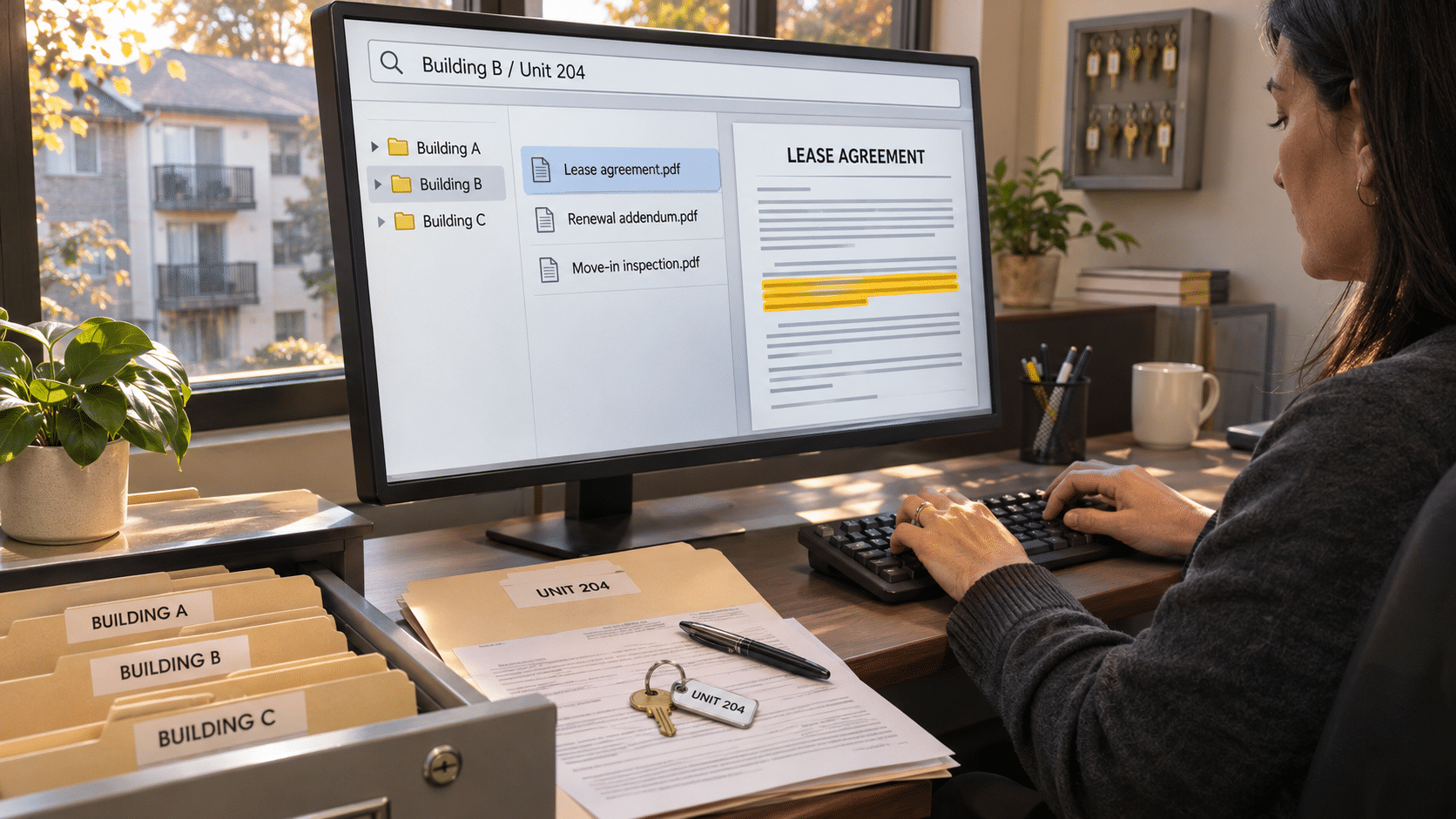
A resident questioned a rent amount. Three PDFs looked like the signed renewal. The team needed property management workflow automation: a reliable way to locate and check the right document without chasing colleagues across properties.
Pilot Outcomes
| 12 → 3 minutes | ~6 → ~2 hours/week | A shared way to find files |
|---|---|---|
| Median document-search time; 30 comparable requests before and after. | Estimated weekly naming/filing time for three pilot staff. | Staff-reported workflow change: less dependence on the original filer (qualitative). |
Three PDFs, One Resident Question
They had taken over a Property, a 140-unit community, that spring. The previous manager handed over a shared-drive export and a box of scanned records. Six weeks later, a resident in Unit 204 questioned the rent on her statement. The leasing coordinator, needed the executed lease renewal addendum before she could answer.
The search returned three possibilities:
- Renewal_Unit204_FINAL.pdf
- Renewal_Unit204_signed_v2.pdf
- LeaseRenewal_updated.pdf
One file was in an old email. Another sat in the shared drive. The third had been saved in a folder created by the previous manager’s assistant. The leasing coordinator opened each PDF, compared effective dates, checked the signature pages and interrupted the property manager, who was conducting an inspection. The search took about 12 minutes. The answer was available; the filing trail was difficult to follow.
Why the Property Management Workflow Kept Interrupting the Team
Their property-management software continued to handle rent collection, resident records and work orders. Its attachment function could hold supporting documents, but the staff’s actual process was inconsistent: some people attached files there, others saved them in email or shared folders.
The problem was this team’s intake and naming habits—not a claim that property-management platforms lack document functions.
Scans often arrived as Scan_1045.pdf. Employees looked for documents by resident name, then property, then unit number or rough signing date. Separately saved files labeled “final” still required a manual signature check.
Across the three staff in the pilot, preparing and filing documents consumed an estimated six hours per week. Those interruptions took attention away from resident replies and move-in inspection follow-ups.
An Acquisition Made a Familiar Problem Harder to Ignore
The old habits had been manageable at eleven properties. The new Property added 140 units and a set of inherited files whose naming conventions did not match their own. The regional operations manager, wanted a repeatable property management filing system before the next acquisition.
The requirements were practical: keep the property-management platform, clean up the highest-use lease and inspection files first, search without knowing an exact filename, and make access match each employee’s job.
Why Keep the Property-Management System?
The existing platform remained the place where they managed rent, resident activity and maintenance work. Staff did not want to recreate those functions in a document repository.
Instead, they used Docupile for an adjacent piece of property management automation: giving incoming scans and lease documents a consistent structure and making them easier to retrieve. No native integration, automatic synchronization or feature gap in a named third-party platform is assumed.
A Limited Property Management Automation Rollout Instead of a Full-System Change
During week one, the three pilot staff reviewed duplicate-looking files and agreed on a property management file structure: property, unit, document type and date.
They also distinguished the signed reference copy from earlier draft PDFs before organizing the files. That human review mattered: version history cannot determine which unrelated file is the legally executed agreement.
In week two, the team brought selected renewals and inspection reports into a configured Docupile workspace. Then they set up the relevant naming and folder rules and walked through searching and permissions.
The leasing coordinator then used the repository to answer a renewal question. From weeks three to six, the three staff used the new process for comparable requests and noted exceptions. Staff still checked agreement details and signatures; rent, resident records and work orders stayed in the original platform.
How Property Management Workflow Automation Changed the Work
Naming and Filing
Before, an administrator opened Scan_1045.pdf, worked out what it contained and chose a name and destination.
With Docupile’s AI naming and folder-organization capabilities, the team’s configured pattern could produce a name such as PropertyName_Unit204_LeaseRenewal_2026-03-01.pdf.
With this automated property management step, the changed task was checking the proposed name and location rather than inventing them. The exact field recognition and review steps require a live product demonstration.
Finding Records in the Property Management Workflow
Before, the leasing coordinator guessed which colleague had saved a file. With indexed document text, metadata and search filters, she could look up the relevant tenant file by property, unit or document type when those identifiers were available and indexed. The changed task was reviewing search results instead of tracing inboxes. Poor scans or missing metadata could still require manual effort.
Handling Revisions
Before, three independent PDFs all looked final. The team first resolved those old copies manually. With Docupile version control, subsequent revisions of a managed file could have a recorded history. The leasing coordinator still opened the correct reference copy and checked the executed signature page. Version control did not make an independent duplicate disappear or certify a signature.
Managing Access
Before, access largely followed shared-drive folder permissions. Docupile’s role-based access rules distinguished leasing, property-management and administrator responsibilities. The regional operations manager could review who should view or edit relevant records. The exact role matrix and its behavior are configuration questions, not a blanket compliance claim.
What the Six-Week Property Management Workflow Automation Pilot Suggested
The pilot compared 30 signed-lease, addendum and move-in inspection report requests logged before the pilot with 30 comparable requests in weeks three to six.
| Measure | Before | After | Evidence approach |
|---|---|---|---|
| Median time to find a requested file | 12 min | 3 min | Timed request log; 30 before / 30 after |
| Weekly naming and filing work; 3 staff combined | ~6 hr | ~2 hr | Staff work logs; estimate |
| Need to ask original filer where record was saved | Often | Less often | Qualitative pilot-staff observation; not quantified |
| Scope of findings | Two properties | Two properties | About 190 units; three staff; no company-wide result claimed |
For this property management workflow automation pilot, the median retrieval difference was nine minutes per request (75%). The filing estimate is approximately four staff-hours less each week. However, this case study does not convert either change into dollar ROI, assign it to the full 640-unit portfolio or claim the platform alone caused the entire improvement. Naming rules, cleanup and staff practice changed together.
What the Recovered Time Meant for Residents
As a result of automation in property management, the property manager recovered time from routine file handling. He used part of it to send move-in inspection follow-ups on the day he completed them, rather than leaving them for the following week. That is the outcome of property management workflow automation that property managers can picture: a resident receives a timely response while the staff still performs the necessary document checks.
“I search the unit, open the renewal we identified as the reference copy, check the signature page and reply. I don’t have to message somebody just to learn where the file went.”
– Leasing Coordinator
Could Property Management Workflow Automation Fit Your Team?
If a signed lease renewal or move-in report can be found only by asking the person who saved it, start your property management workflow automation with that one task. A Docupile demonstration can use synthetic, non-sensitive lease and inspection files to show how naming, retrieval, managed revisions and permissions would be configured—and where staff would still review the document.
See a sample lease-renewal and inspection-report workflow → Book a personalized Docupile demo
Prefer to discuss your workflow first? Call (281) 942-4545.