
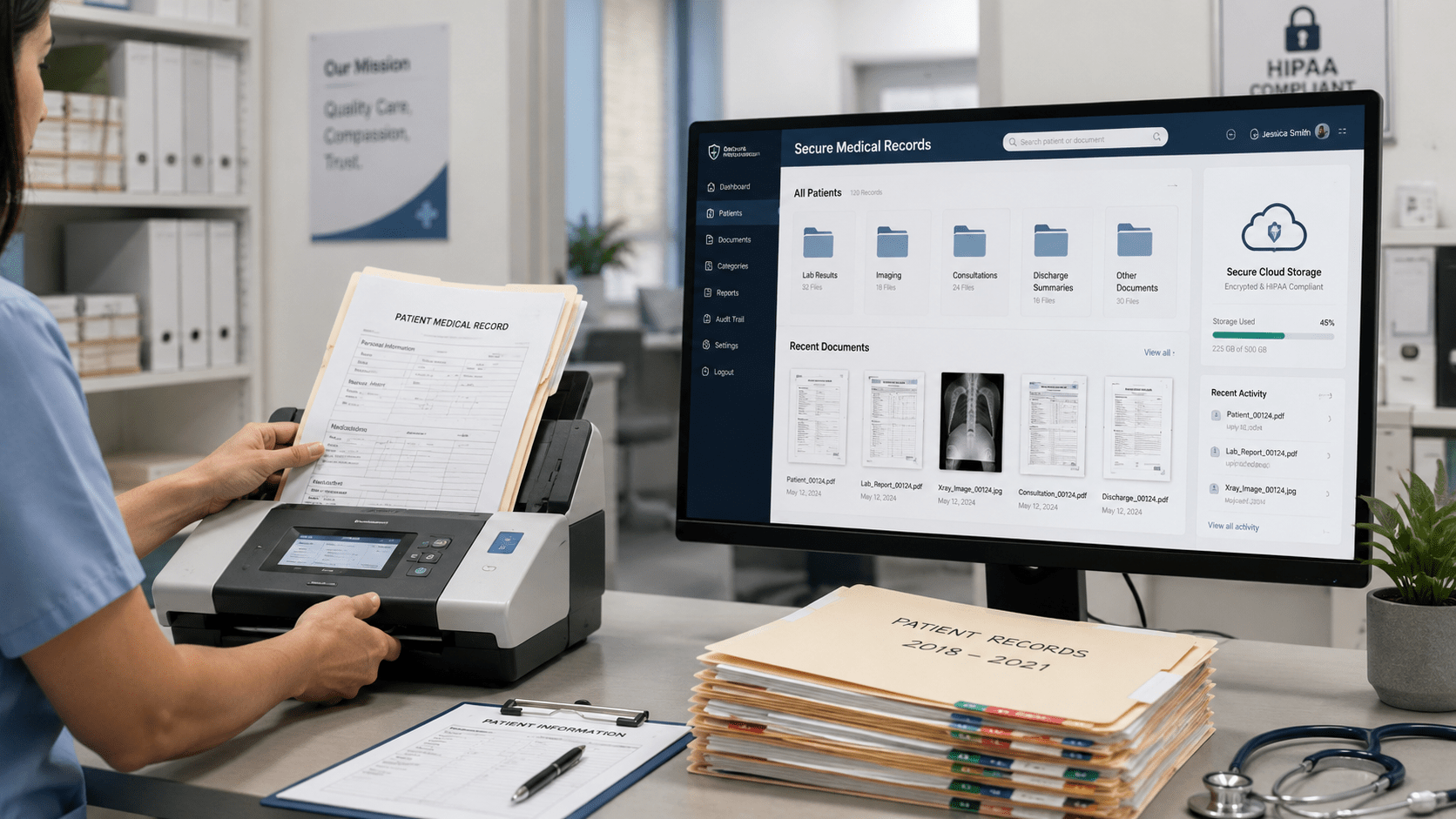
A patient calls your clinic requesting a copy of an old medical record. The front-desk employee checks the computer, asks the records team, and eventually discovers that the chart is stored in a box in another room.
The record exists. Finding it is the problem.
And under HIPAA’s right of access, the practice generally has 30 days to respond.
For healthcare practices managing paper charts, digital files, and older patient documents, medical records storage is about more than having enough space. It means keeping information organized, protected, and accessible when authorized staff need it.
This guide compares medical record storage options, explains HIPAA considerations, and outlines practical steps for moving toward digital storage.
Key Takeaways
- Medical records can be stored on-site, off-site, or in secure digital systems.
- Each approach has different costs, retrieval processes, and security considerations.
- HIPAA requires safeguards for protected health information, but state laws generally determine patient-record retention periods.
- Digital storage can make documents easier to organize and retrieve when supported by appropriate processes and controls.
What Is Medical Records Storage?
Medical records storage is the process of keeping patient documents organized, secure, and available throughout their required retention period.
These records may include patient histories, consent forms, test results, referrals, insurance documents, and other administrative or clinical information.
Medical records storage generally falls into three categories:
- On-site paper storage: Physical files kept in cabinets or dedicated record rooms.
- Off-site physical storage: Archived paper records maintained by an external storage provider.
- Digital medical records storage: Electronic documents maintained in a digital repository or document management system.
Some healthcare organizations use a combination of these methods, particularly when transitioning from paper to digital records.
Why Does Secure Medical Records Storage Matter?
Healthcare practices depend on reliable access to patient information for everyday administrative and clinical work.
When records are scattered across filing cabinets, email attachments, and shared folders, routine requests become harder to manage.
Finding Patient Documents Takes Longer
A medical records employee may need to check several locations before finding an older consent form or referral.
Consistent organization and searchable records can reduce the number of places staff need to check.
Sensitive Information Needs Protection
Patient records often contain protected health information (PHI).
Whether a practice uses paper or digital storage, it needs appropriate safeguards to prevent unauthorized access or disclosure.
What Are the Main Medical Records Storage Options?
The right medical records storage approach depends on a practice’s available space, document volume, retrieval needs, and security requirements.
1. On-Site Paper Records Storage
Small practices may maintain physical medical files in locked cabinets or dedicated rooms.
Advantages:
- Existing paper workflows can continue.
- Frequently used files remain at the practice.
- Staff may not need a new digital system immediately.
Limitations:
- Storage requires physical space.
- Retrieval depends on filing accuracy.
- Documents can be misplaced or damaged.
- Access requires staff to locate the physical file.
On-site paper storage may be practical for a limited number of records, but organization becomes more demanding as the archive grows.
2. Off-Site Medical Records Storage
Some practices use professional records storage companies to keep archived paper files outside their premises.
This approach can free up office space while allowing records to remain in physical form.
However, retrieval may require a request to the provider, and transportation or access fees may apply.
Practices should evaluate the provider’s security procedures, retrieval arrangements, disposal practices, and willingness to sign a Business Associate Agreement (BAA).
3. Digital Medical Records Storage
Digital storage keeps electronic copies of documents in a computer-based or cloud-based system.
A medical document management system may provide structured folders, metadata, search functions, and workflows for handling records.
This can be useful for practices managing large collections of forms, administrative records, and older documents.
However, a digital system still requires suitable security controls, staff training, retention policies, and a well-planned migration process.
Paper vs. Digital Medical Records Storage: How Do They Compare?
| Factor | On-site paper | Off-site physical | Digital storage |
|---|---|---|---|
| Main cost drivers | Space, cabinets, staff time | Storage, retrieval, transport | Software, migration, administration |
| Record access | Manual, on-site | Provider-dependent | Searchable where properly indexed |
| Security needs | Physical protection | Vendor and physical safeguards | Technical and administrative safeguards |
| Retention handling | Manual record tracking | Policy and vendor coordination | Policy-based tracking; automation varies |
| Space required | Office/storage room | Minimal on-site space | Minimal physical storage for digitized files |
Digital storage offers advantages for searching and organizing documents, but it does not automatically replace every paper record or clinical system.
For example, an electronic health record (EHR) system manages clinical patient information, while a document management system may help organize supporting documents and archived files.
The two serve related but different purposes.
What Does HIPAA Require for Medical Records Storage?
The Health Insurance Portability and Accountability Act (HIPAA) establishes requirements for protecting patient information.
According to the U.S. Department of Health and Human Services (HHS), the HIPAA Security Rule requires administrative, physical, and technical safeguards for electronic protected health information.
Administrative Safeguards
Healthcare organizations need policies and procedures for handling patient information, assessing risks, and training their workforce.
Physical Safeguards
The Security Rule’s physical safeguards cover facilities, workstations, and devices that hold electronic PHI. Paper records are addressed separately: the HIPAA Privacy Rule requires appropriate safeguards for PHI in any form.
This may include locked storage areas, controlled handling processes, and secure disposal procedures.
Technical Safeguards
Electronic medical records require appropriate measures addressing access, authentication, and information security.
Encryption and two-factor authentication can contribute to a broader security approach, but neither feature alone establishes HIPAA compliance.
Pro Tip: When reviewing a medical records storage provider, ask how its security practices support your organization’s HIPAA obligations. Any vendor that stores PHI on your behalf will generally need to sign a Business Associate Agreement (BAA) first.
For further information, read Docupile’s HIPAA compliance overview.
How Long Should You Keep Medical Records?
Medical records retention depends on the type of record, applicable state law, and other legal or contractual requirements.
The HHS guidance on medical record retention explains that the HIPAA Privacy Rule does not prescribe a general retention period for patient medical records. State laws generally determine these requirements.
Healthcare practices should consider:
- The state in which they operate.
- Whether records concern adults or minors.
- The type of clinical or administrative record.
- Applicable federal program or other requirements.
- Whether a legal hold or pending dispute requires preservation.
Separately, HIPAA requires covered entities to keep certain compliance documentation, such as policies and procedures, for six years from creation or the date last in effect, whichever is later.
These requirements should not be confused with the retention period for every patient chart.
Before disposing of records, confirm that the applicable retention period has ended and that no other obligation requires preservation.
HHS also provides guidance on the secure disposal of PHI.
How Do You Move Paper Medical Records Into Digital Storage?
Moving from paper to digital records works best as a planned project rather than an effort to scan every document at once.
Step 1: Identify What Needs to Be Digitized
Review the records currently stored in cabinets, boxes, and shared folders.
Group them by record type, usage frequency, and retention requirements.
Step 2: Set Up a Consistent Filing Structure
Decide how documents will be organized.
For example, practices may use approved patient identifiers, document categories, and dates to maintain consistent records.
Avoid including unnecessary patient information in filenames.
Step 3: Scan and Check Paper Documents
Use appropriate scanning equipment or a qualified scanning provider.
Check that documents are complete, readable, and associated with the correct records before accepting the digital copies.
For more on the scanning process, see Medical Document Scanning for Hospitals and Clinics.
Step 4: Organize the Digital Files
Upload verified files into the chosen storage system.
Use consistent names, categories, and metadata so employees can retrieve them without searching through unrelated folders.
Step 5: Review Security and Retention Procedures
Confirm that the new storage process aligns with the practice’s security requirements.
Document how records will be handled, retained, reviewed, and eventually disposed of.
Important: Scanning a paper record does not automatically mean the original can be destroyed. Confirm the applicable legal and operational requirements first.
How Does Docupile Support Medical Records Storage?
Docupile is a document management platform with security features designed to support healthcare teams’ HIPAA obligations.
For practices managing documents outside their primary clinical systems, Docupile provides capabilities such as:
- AI auto-filing, naming, and tagging: Helps reduce repetitive manual document organization.
- Auto file splitting and sorting: Helps organize document batches into the appropriate files.
- Document search: Find stored files using keywords, tags, or custom metadata.
- Secure records archiving: Maintain organized collections of digital records.
- Tailored workflows: Support document-handling and approval processes.
- Encryption and two-factor authentication: Provide security measures for handling sensitive information.
Docupile is a digital document management platform, not a physical records warehouse or paper scanning bureau.
Healthcare teams can evaluate it as part of a broader records management approach alongside their existing clinical systems.
Explore Docupile for Healthcare and Medical Practices to learn more.
How Do You Choose the Right Medical Records Storage Solution?
Before selecting a storage provider or system, consider the day-to-day needs of your healthcare practice.
Use this checklist:
The right answer may be a combination of physical archives and digital storage rather than a complete change overnight.
Conclusion: Make Medical Records Storage Easier to Manage
Effective medical records storage is not simply about where documents are kept. It is about making sure records remain organized, appropriately protected, and available for legitimate needs.
On-site paper storage, off-site archives, and digital systems each have their place. The best approach depends on the practice’s workflows, security responsibilities, and retention obligations.
For healthcare teams that spend too much time locating misfiled documents, structured digital storage can be a practical improvement.
Want to see how Docupile helps organize healthcare documents?
Book a Docupile demo and explore how AI-assisted document organization could support your practice.


