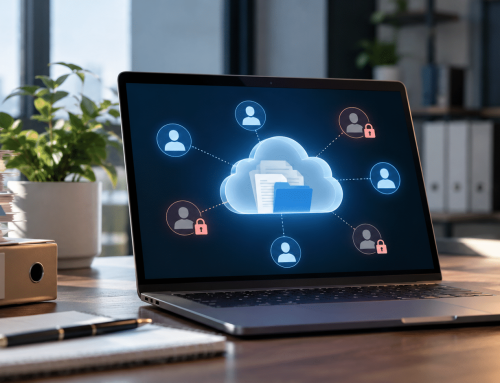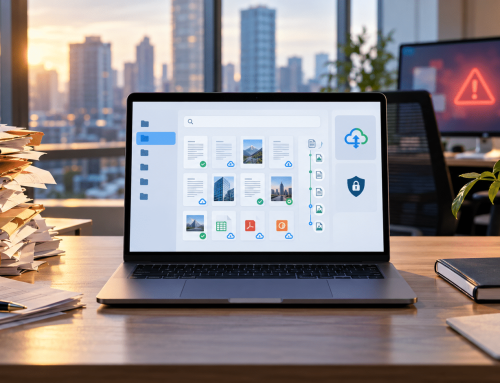

Most businesses and individuals have asked the same question at some point: how do you scan and email a document? Whether you’re sending a contract, invoice, application form, employee record, or signed agreement, scanning and emailing documents has become a standard part of daily business operations.
However, scanning and emailing a document is only the beginning of the journey. Once the document is sent, where does it go? How do you find it six months later? How do you ensure it remains secure, accessible, and organized?
This is why many organizations are moving beyond simple scanning and emailing. They are adopting digital document storage solutions that help manage documents throughout their entire lifecycle—from capture and storage to retrieval, sharing, auditing, and retention. Understanding this process can help businesses improve efficiency, reduce paper dependency, and gain better control over their information.
Want to Learn More?
Check Out: How Electronic DMS for Accounting Firms Helps Accounting Team?
Ebook: How Do You Scan and Email a Document?
Why Is It Important to Store Documents Digitally?
Think about how documents were traditionally managed.
A contract arrives. It gets printed, signed, filed in a cabinet, and eventually buried among hundreds or thousands of other records. When someone needs that document again, valuable time is spent searching through folders, boxes, and storage rooms.
Now multiply that challenge across every department in a growing organization.
Common Challenges with Paper-Based Document Storage
Think about how documents were traditionally managed.
A contract arrives. It gets printed, signed, filed in a cabinet, and eventually buried among hundreds or thousands of other records. When someone needs that document again, valuable time is spent searching through folders, boxes, and storage rooms.
Now multiply that challenge across every department in a growing organization.
Digital document storage addresses these challenges by converting physical paperwork into searchable electronic records.
How Do You Scan and Email a Document?
Many people think scanning and emailing a document is a single action. In reality, several processes occur behind the scenes to transform a physical document into a digital file that can be shared electronically.
What Happens During Document Scanning?
When a document is scanned:
- The scanner captures an image of the physical page.
- The image is converted into a digital file.
- The file is usually saved as a PDF, JPG, or TIFF.
- In some cases, Optical Character Recognition (OCR) technology converts the image into searchable text.
This means a paper document can become a digital record that is easier to store, search, and share.
What Happens When You Email the Document?
Once the document has been scanned:
The process is simple, fast, and widely used across industries.
The Hidden Challenge After Sending
This is where many organizations encounter problems.
After a document is emailed, it often ends up scattered across:
- Email inboxes
- Shared drives
- Desktop folders
- USB devices
- Local servers
Over time, this creates document chaos.
Employees struggle to find information. Duplicate files appear. Different versions circulate. Security becomes harder to control.
Scanning and emailing solve the sharing problem, but they do not solve the storage and management problem. That is why businesses increasingly combine document scanning with centralized digital document management systems that keep records organized, searchable, and secure.
How Does Storing Documents Digitally Change the Game for Businesses?
Digital document storage is not simply about reducing paper. It fundamentally changes how organizations access, use, and manage information.
When employees can locate the right document in seconds rather than minutes, productivity improves naturally. Teams spend less time searching and more time completing meaningful work.
The Business Impact of Digital Document Storage
Digital Storage Creates a Competitive Advantage
Businesses that rely on paper-based processes often struggle with inefficiencies that compound over time.
Organizations that adopt digital document storage gain:
- Better visibility into information.
- More consistent document control.
- Improved security.
- Faster decision-making.
- Greater operational flexibility.
The result is a more agile business environment where information becomes an asset rather than a burden.
What Features Should a Modern Document Scanning and Storage Solution Offer?
Not all document storage solutions are created equal.
Some systems simply provide a place to save files. Others help businesses manage documents from the moment they are captured until they are archived or disposed of according to retention policies.
When evaluating a modern document scanning and storage solution, look beyond basic storage capabilities.
Essential Features to Consider
Features That Help Businesses Work Smarter
Many modern platforms—including solutions such as Docupile—also provide advanced capabilities that help automate document management tasks.
Examples include:
| Traditional Process | Modern Automated Approach |
|---|---|
| Manual file naming | AI-powered file naming |
| Creating folders manually | Automated folder creation |
| Manual classification | Smart document categorization |
| Searching through folders | Instant search and retrieval |
| Manual indexing | Metadata-based organization |
These capabilities help reduce administrative work while improving consistency across large document repositories.
The Goal Is Not Just Storage
The best document scanning and storage solutions help businesses:
- Capture information
- Organize records
- Protect sensitive data
- Improve collaboration
- Support compliance
- Retrieve information quickly
In other words, they help transform documents into accessible business assets rather than digital clutter.
What to Look for in the Right Document Scanning and Storage Solution?
Features are important, but selecting the right solution requires a broader evaluation.
A platform may have dozens of features yet still fail to meet the practical needs of your organization.
Before investing, consider the following factors.
Ask These Questions First:
How to Get Started: Scan, Email, and Store Documents in 5 Simple Steps
Transitioning from paper-based processes to digital document management does not need to be complicated.
Most organizations can begin with a simple workflow that combines scanning, emailing, and secure storage.
Step 1: Prepare Your Documents
Before scanning:
- Remove staples and paper clips.
- Arrange pages in the correct order.
- Ensure documents are clean and readable.
This helps improve scan quality and OCR accuracy.
Step 2: Scan the Document
Use:
- A document scanner
- A multifunction printer
- A mobile scanning application
Save the document as a PDF whenever possible to maintain formatting and simplify sharing.
Step 3: Email the Document
Attach the scanned file to your email and send it to the appropriate recipient.
This is the step most organizations already perform regularly.
Step 4: Store the Document in a Centralized Repository
Rather than leaving important files buried inside email inboxes, store them in a dedicated document management platform.
Centralized storage helps ensure:
- Easier retrieval
- Better security
- Consistent organization
- Controlled access
Step 5: Organize and Manage the Document
This is where modern document management systems create long-term value.
With solutions such as Docupile, organizations can:
- Automatically organize files
- Apply metadata
- Control permissions
- Track activity
- Search documents instantly
- Support retention requirements
Instead of spending time managing files manually, teams can focus on the work that drives business growth.
By following these five steps, businesses can move from paper-based processes to a more efficient, secure, and scalable approach to document management.
Conclusion
How do you scan and email a document? The process itself is straightforward—scan the document, save it digitally, attach it to an email, and send it to the intended recipient. However, the real value comes after the document has been shared.
Organizations today are handling more documents than ever before. Simply scanning and emailing files is no longer enough. Businesses need a reliable way to organize, secure, retrieve, and manage documents throughout their lifecycle.
By combining document scanning with a cloud-based document management solution, organizations can improve accessibility, strengthen security, support compliance efforts, and reduce the time spent searching for information. Platforms such as Docupile help bring these capabilities together, allowing businesses to move from paper-heavy processes to a more efficient and organized digital environment.
Learn More – A Tool to Help Revolutionize Document Management for Accounting Firms