
Every business — no matter the size or industry — is sitting on a growing pile of digital files. Contracts, invoices, HR records, compliance documents, project files. And without a proper system in place, finding the right file at the right time becomes a daily frustration.A file management system fixes this.
It gives your business a structured, secure, and searchable way to store, organise, and retrieve every file — so your team spends less time hunting for documents and more time actually using them.
In this guide, you’ll learn exactly what a file management system is, how it works, which type suits your business, and what to look for when choosing one.
Want to Learn More?
Check Out: How Electronic DMS for Accounting Firms Helps Accounting Team
Ebook: What Is a File Management System?
Related Articles:
What Is a File Management System?
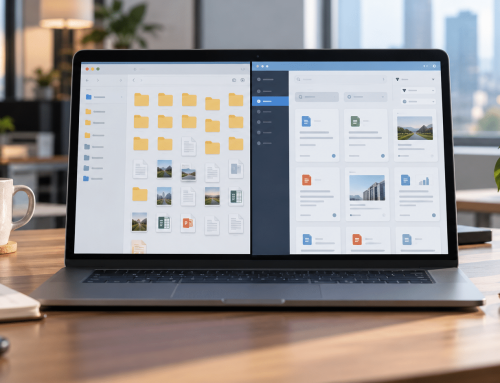
A file management system (FMS) is software that helps businesses store, organise, retrieve, and control digital files from a single centralised platform. It ensures every document — from contracts and invoices to HR records and compliance files — is stored securely, found instantly, and accessed only by the right people.
Modern digital file management systems go beyond basic folder structures. They use AI to auto-sort and auto-name incoming files, extract metadata, apply access controls, and trigger automated workflows — making file system management faster and largely hands-off for your team.
At its core, it handles three things:
File Management System vs Document Management System: What’s the Difference?
While often used interchangeably, these two are not the same. A file management system is the foundation — it handles storage, organisation, and retrieval. A document management system builds on top of that, adding compliance workflows, version control, lifecycle management, and collaboration tools. Most modern businesses need both — and the best platforms deliver them together.
Types of File Management Systems
Not every business has the same storage needs, security requirements, or budget. Understanding the different types of file management software helps you make the right choice for your organisation.
Cloud-Based File Management System
A cloud file management system stores all your files on remote servers accessed through the internet. There’s no hardware to maintain, no IT overhead, and your team can access documents from anywhere — office, home, or on the go.
Cloud-based systems are ideal for businesses with remote or distributed teams, growing document volumes, and a need for real-time collaboration. They also offer automatic backups, built-in disaster recovery, and easier scalability as your business grows. Explore how cloud-based document management works in practice.
On-Premise File Management System
An on-premise system stores files locally — on your own servers within your physical office or data centre. This gives your IT team full control over infrastructure, security policies, and data sovereignty.
On-premise is typically preferred by organisations with strict data residency requirements or those operating in highly regulated industries where keeping data within internal systems is non-negotiable.
Hybrid File Management System
A hybrid system combines both — some files are stored locally while others live in the cloud. This gives businesses the flexibility to keep sensitive documents on-premise while using cloud storage for everyday operational files. For most mid-to-large organisations, a hybrid approach offers the best of both worlds — control where it matters, accessibility everywhere else.
Enterprise File Management System
An enterprise file management system is built for organisations managing large volumes of documents across multiple departments, locations, or teams. It includes advanced permissions, cross-department workflows, compliance management, and deep integrations with existing business tools like ERP and CRM systems.
Why Businesses Need a File Management System?
A disorganised file system doesn’t just slow your team down — it creates real, measurable business risk. Here’s what’s actually at stake.
The average employee wastes nearly one full day every week just searching for files. When documents are scattered across email threads, desktop folders, and shared drives, that time adds up fast. A file management software solution centralises everything — so finding a three-year-old contract or last quarter’s compliance report takes seconds, not an afternoon.
Compliance and Data Security
Misplaced files and unauthorised access aren’t just inconvenient — they’re compliance violations that carry serious penalties.
Industries like healthcare, legal, and financial services operate under strict data regulations. A file management system enforces document security at every level — controlling who can view, edit, share, or delete files. Combined with audit trails that log every action on every document, your business stays audit-ready at all times.
Remote Collaboration
Remote and hybrid work is now the norm — but distributed teams create document chaos without a central system holding everything together.
Without a centralised file management system, teams end up working off different versions of the same document — creating errors, rework, and confusion. A cloud-based system gives every team member access to the latest version of every file, from any device, at any time — with access controls that keep sensitive documents protected wherever your team is working from.
Cost Reduction
Disorganised files cost more than most businesses realise.
Switching to a structured online file management system eliminates printing costs, reduces storage overheads, and frees your team from low-value administrative tasks — redirecting that time toward work that actually moves the business forward.

How Does a File Management System Work?
A file management system operates across four key layers — each one building on the last to give your business complete control over every document.
Who Needs a File Management System? Industry Use Cases
A file management system isn’t a one-size-fits-all tool — the way it’s used varies significantly by industry. Here’s how different sectors put it to work.
How to Choose the Right File Management System?
With dozens of options available, choosing the right file management system software comes down to criteria that matter most for business use.
| Criteria | Why It Matters? | How Docupile Delivers? |
|---|---|---|
| Security and Compliance | Protects sensitive data and ensures regulatory alignment | AES-256 encryption, role-based access, HIPAA and SOC 2 certified |
| Search Capability | Saves time locating files across large document volumes | Full-text search, metadata search, OCR-powered content search |
| Automation | Reduces manual filing and administrative overhead | AI auto-naming, auto-sorting, automated workflows |
| Ease of Use | Drives team adoption across technical and non-technical users | Clean, intuitive interface with minimal training required |
| Scalability | Supports business growth without performance loss | Adapts from small teams to large enterprise deployments |
| Integrations | Fits into your existing tech stack | Connects with Outlook, Google Drive, OneDrive, Teams, Zapier, and more |
When evaluating file management software, also consider the vendor’s support model and whether the system can be configured around your existing workflows. A good workflow automation layer is what separates a passive storage system from one that actively moves documents through approval, review, and archiving without manual intervention.
Ready to see how Docupile measures up? Book a Free Demo →
Docupile: A Smarter Way to Manage Your Files
Docupile is a cloud-based file management system software built for businesses that need more than just storage. It combines AI-powered organisation, enterprise-grade security, and seamless collaboration into one platform — designed to work around your processes, not the other way around.
Here’s what sets Docupile apart:
Learn more about enterprise document management and how Docupile handles document operations at scale.
Conclusion
A well-implemented file management system is no longer a nice-to-have — it’s the operational backbone of any business that takes productivity, security, and compliance seriously. Whether you’re managing patient records, legal case files, HR documents, or financial reports, the right file management software eliminates the friction, reduces the risk, and gives your team back the time they’re losing every day to disorganised files.
Docupile brings all of this together in one platform — intelligent, secure, and built to scale with your business.
Start managing your files smarter. Book Your Free Docupile Demo Today →