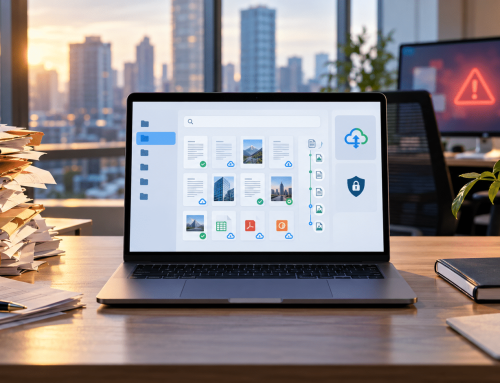

DMS for Small Business helps growing teams manage documents in a more organized, secure, and searchable way.
Managing documents as a small business starts simply — a shared folder here, an email attachment there. But as your team grows and files multiply, what worked at five people starts breaking down at fifteen.
The scale of this problem is larger than most small business owners realize. AIIM (Association for Intelligent Information Management) reports that 80% of business information exists in unstructured formats — scattered across emails, desktops, and disconnected cloud folders. For small teams without a structured system, this creates daily friction that compounds as the business grows.
These tools may work in the beginning, but as files, approvals, client records, invoices, contracts, and compliance documents increase, the process can quickly become difficult to manage.A document management system gives small teams a better way to store, find, share, track, and control business documents from one place.
With a cloud-based DMS like Docupile, small businesses can move from scattered files to a structured document system that supports better organization, faster access, secure permissions, and smoother workflows.
Want to Learn More?
Check Out: How Electronic DMS for Accounting Firms Helps Accounting Team
Ebook: DMS for Small Business
Related Articles:
What Is a DMS for Small Business?
A DMS for small business is a document management system that helps companies store, organize, search, secure, and manage documents in one central place. Instead of depending only on folders, emails, or basic document storage software, a DMS gives small teams a more structured file management system.
It helps businesses manage everyday files such as invoices, contracts, employee records, client documents, forms, approvals, and compliance paperwork. A cloud document management software also makes it easier for authorized users to access documents from different locations while keeping control over permissions, versions, and document activity.
For small businesses, the goal is simple: reduce file confusion, improve document access, and create a more reliable way to manage important business information.
Why Small Businesses Outgrow Basic File Storage?
Most small businesses begin with simple storage tools like Google Drive, Dropbox, OneDrive, shared folders, email attachments, or desktop folders. These options are helpful when the team is small and the number of files is low. But as the business grows, basic storage can become harder to manage.
The problem is not storage itself. The problem is control. Files need proper names, clear folders, secure access, version history, approval tracking, and easy search. Without these controls, teams may spend more time finding documents than using them.
| Basic File Storage | Small Business DMS |
|---|---|
| Stores documents in folders | Organizes documents with structure and metadata |
| Depends on manual file naming | Supports consistent naming and easier search |
| Offers basic sharing | Adds role-based access and better control |
| Relies on email for approvals | Supports workflow-based approvals |
| Gives limited tracking | Provides version history and audit trails |
A small business document management system helps close these gaps by turning file storage into a more organized document process.
Document Challenges That Hurt Small Business Productivity
When documents are not managed properly, small problems can quickly slow down daily work. A missing invoice, an outdated contract, or an approval stuck in an email thread can affect customer service, billing, compliance, and team productivity.
Common document challenges include:
When Should Your Small Business Invest in a DMS?
A small business should consider a DMS when document handling starts taking more time than it should. The signs are often easy to notice during daily work.
Ask yourself:
A cloud-based solution like Docupile can help organize files, improve search, control access, and reduce manual document handling without adding unnecessary complexity.
For businesses still managing large volumes of paper, understanding the benefits of document scanning for small businesses can be a useful first step toward reducing manual filing and improving document access.
Ready to fix your document chaos?
Book a Free Demo with Docupile and see how your team can get organized in days — not months.
Key Features and Benefits of a DMS for Small Business
The right DMS for small business should do more than store files. It should help your team organize documents, protect sensitive information, reduce manual work, and keep daily processes moving smoothly.
These features help small businesses build a more reliable file management system, support a paperless office, and reduce the everyday friction caused by manual document handling.
How Docupile Helps Small Businesses Stay Organized?
Docupile helps small businesses move from scattered folders, inconsistent file names, and email-based approvals to a more structured document management process. It gives small teams one cloud-based system to store, organize, search, secure, and manage business documents.
Centralize Your Business Documents
Docupile keeps invoices, contracts, client records, HR files, approvals, and compliance documents in one organized system. This helps teams avoid scattered files across emails, desktops, shared folders, and cloud drives.
Find Files with Less Effort
With smart search, metadata, tags, and filters, users can locate documents without checking multiple folders or long email threads. This makes daily document retrieval easier and more reliable.
Control Access to Sensitive Files
Docupile supports role-based permissions, so small businesses can control who can view, edit, share, or approve specific documents. This is useful for client files, employee records, financial documents, and compliance-related paperwork.
Reduce Manual Sorting
AI-powered file naming and auto folder creation help reduce the manual work involved in organizing documents. This gives small teams a better way to manage growing document volumes without depending only on manual filing.
Manage Approvals More Smoothly
Docupile supports workflow automation, helping documents move through review, approval, and follow-up steps with less dependence on email reminders and manual tracking.
Track Document Activity
With version control and audit trails, teams can see document changes, access history, and approval activity. This improves accountability and reduces confusion around outdated or duplicate files.
For small businesses, Docupile works as more than document storage software. It supports better organization, secure document control, workflow automation, and a more practical path toward a paperless office.
See how DocuPile provides a practical document management solution for growing small businesses, from automated organization to secure access and workflow control.
Real Business Use Cases for Small Teams
A DMS for small business becomes easier to understand when you connect it with real work. Here are a few simple examples of where small teams can use it.
Scenario 1: The accounting team preparing for tax season
Invoices, receipts, tax files, bank statements, and client documents keep coming in from different sources.
Scenario 2: The insurance agency handling client claims
Policy forms, signed documents, claim files, renewal paperwork, and client IDs need to stay easy to find.
Scenario 3: The clinic managing sensitive records
Healthcare clinics often deal with patient-related forms, insurance paperwork, consent documents, billing records, and internal approvals.
Scenario 4: The law firm working on active cases
Contracts, case files, signed agreements, legal correspondence, and supporting documents can change often.
Scenario 5: The dealership managing buyer paperwork
Auto dealerships manage loan documents, buyer files, warranty papers, service records, trade-in documents, and compliance forms.
Scenario 6: The construction team managing project files
Contracts, permits, drawings, change orders, vendor documents, and approvals need to stay connected to the right project.
These examples show that a DMS is not only for large companies. It can support any small team that manages important documents, approvals, and customer records every day.
See how Docupile works for your industry. Request a Free Demo — no lengthy setup, no IT team required.
Why Docupile Works for Small Business Budgets?
Document mismanagement is not just an organizational problem — it is a financial one.
For small teams, that means employees regularly lose time searching for files, correcting version errors, and managing approvals manually — time that directly affects productivity and bottom-line results.
Docupile is designed to change that equation for small businesses specifically:
- Zero hardware costs — fully cloud-based, runs from any browser on any device.
- No IT dependency — setup is guided, intuitive, and designed for non-technical teams.
- Scalable pricing — starts at a size and price point that works for small teams, grows as you do.
- One consolidated system — replaces shared drives, email approvals, manual folders, and disconnected storage tools.
- Immediate ROI — most teams recover setup costs quickly through time saved on document retrieval, approval tracking, and version management alone.
For small businesses watching every line item, Docupile delivers the document control of an enterprise system — without the enterprise price tag.
Learn More – A Tool to Help Revolutionize Document Management for Accounting Firms
Conclusion
DMS for small business is no longer just about storing files online. It is about creating a better way to organize, secure, search, share, and manage important business documents. As small teams grow, scattered folders, email attachments, manual approvals, and inconsistent file names can slow down daily work.
A cloud-based DMS like Docupile helps small businesses bring structure to document management without adding unnecessary complexity. With smart search, workflow automation, access control, audit trails, version control, and AI-powered organization, Docupile gives teams a practical way to manage documents with more confidence.
If your business is ready to move beyond scattered files and manual document handling, request a demo with Docupile.
Book a Free Demo with Docupile and see the difference
Learn More – A Tool to Help Revolutionize Document Management for Accounting Firms